
A Simple Guide to Choosing the Right Display
I think we all want our games to look smooth fast and beautiful. Whether we play Valorant or other FPS titles we know that the monitor we use makes a big difference. That is why we should learn what monitor is best for gaming and how it affects our performance.
When I first started playing Valorant I used a basic monitor. The colors were dull and the screen was small. I missed shots and felt slow. Then I upgraded to an ultrawide gaming monitor with a high refresh rate and fast response time. Everything changed. My aim improved and the game felt more real.
In this article I will share everything I learned. We will talk about screen size resolution aspect ratio refresh rate and more. If you are a gamer or content creator this guide will help you choose the perfect monitor.
What Is a Monitor
A monitor is a screen that shows images from your computer or console. It is used for games, video work and more. Monitors come in different sizes, shapes and technologies. Some are made for gaming and some are made for editing or office work.
We should choose a monitor that fits our needs and space. If we play games we need a monitor with fast response time and high refresh rate. If we create content we need good color and image quality.
What Is an Ultrawide Monitor
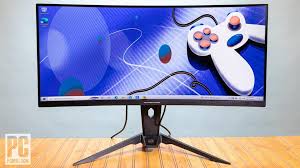
An ultrawide monitor is a screen that is wider than normal. It usually has a 21:9 aspect ratio instead of the standard 16:9. That means we get more screen space and a wider field of view.
Ultrawide monitors are great for immersive gaming experience. We can see more of the game world and feel like we are inside it. They are also good for content creators who need space for editing tools and timelines.
Why Aspect Ratio Matters
Aspect ratio is the shape of the screen. It tells us how wide and tall the display is. Common aspect ratios are
- 16:9 standard
- 21:9 ultrawide
- 4:3 old monitors
- 5:4 square monitors
If we use the wrong aspect ratio we may see black bars or stretched res. That makes the image look bad and affects gameplay. We should choose a monitor with the right aspect ratio for our games and tasks.
What Is Refresh Rate
Refresh rate is how many times the screen updates per second. It is measured in hertz (Hz). Common refresh rates are
- 60 Hz basic
- 144 Hz gaming
- 240 Hz competitive
- 360 Hz esports
High refresh rate gives smoother motion and better response. If we play FPS titles like Valorant we should choose at least 144 Hz. That helps us aim better and react faster.
What Is Response Time
Response time is how fast the pixels change color. It is measured in milliseconds (ms). Low response time means less blur and ghosting. That is important for fast games and sharp images.
We should choose a monitor with fast response time like 1ms or 0.5ms. That gives us clear visuals and better control.
What Is Resolution
Resolution is how many pixels are on the screen. It affects image quality and detail. Common resolution sizes are
- 1920×1080 Full HD
- 2560×1440 QHD
- 3840×2160 UHD or 4K
- 3440×1440 ultrawide QHD
Higher resolution gives better image quality but needs more power. If we play games we should balance resolution and performance. Full HD is good for speed. QHD and UHD are good for beauty.
What Is Screen Size
Screen size is how big the monitor is. It is measured in inches from corner to corner. Common sizes are
- 24 inch
- 27 inch
- 32 inch
- 34 inch ultrawide
Bigger screens give more space and immersion. But they also need more desk space. We should choose a size that fits our room and setup.
What Is Field of View (FOV)
Field of view is how much we can see in the game. Wider screens give wider FOV. That helps us spot enemies and move better. Ultrawide monitors increase horizontal FOV and give a competitive advantage.
If we play Valorant or other FPS games we should use full-screen ultrawide mode. That gives us more vision and better control.
What Is Pixel Density (PPI)
Pixel density is how many pixels are in one inch. Higher PPI means sharper image. It depends on resolution and screen size. If we want clear text and details we should choose a monitor with high PPI.
What Is FreeSync and G-Sync
FreeSync and G-Sync are technologies that match the monitor refresh rate with the game frame rate. That stops screen tearing and stuttering. FreeSync works with AMD graphics. G-Sync works with NVIDIA graphics.
We should choose a monitor with adaptive sync for smooth gameplay.
What Is OLED and QD-OLED
OLED and QD-OLED are new display technologies. They give better color contrast and black levels. OLED screens are thin and beautiful. QD-OLED adds quantum dots for more brightness and color.
These monitors are great for image quality and immersion. But they are expensive and may not be needed for competitive games.
What Is the Best Monitor for Valorant
Valorant is a fast FPS game. We need speed clarity and consistency. The best monitors for Valorant are
- BenQ ZOWIE XL2566K – 360 Hz TN panel with DyAc⁺ for esports
- Alienware AW2523HF – 360 Hz IPS panel with 0.5ms response and FreeSync
- MSI MPG 321URX QD-OLED – 240 Hz with stunning visuals
- Sceptre E275B-FWD240 – Budget 240 Hz monitor with good features
These monitors offer high refresh rate low response time and good image quality. They are perfect choices for competitive players.
My Personal Experience
I used a 60 Hz monitor and missed many shots in Valorant. Then I switched to a 240 Hz monitor with 1ms response time. My aim improved and the game felt smooth. I also tried an ultrawide monitor and loved the wider field of view.
I think if we want better performance and immersion we should upgrade our monitor. It makes a big difference.
Should You Buy an Ultrawide Gaming Monitor
Yes if you want immersive gaming experience and more screen space. Ultrawide monitors are great for long gaming sessions and content creation. They give wider field and better multitasking.
But if you play competitive games you should check if the game supports ultrawide mode. Some games show black bars or stretched res. Valorant supports ultrawide but may limit FOV.
Final Verdict
We should choose a monitor that fits our needs budget and space. For Valorant and other FPS titles we need high refresh rate low response time and good resolution. Ultrawide monitors are great for immersion and productivity.
If you want speed and clarity go for 240 Hz or 360 Hz monitors. If you want beauty and color go for OLED or QD-OLED. If you want value go for budget models with good features.
Meta Description
I think choosing the right monitor for gaming especially for games like Valorant can be confusing. This guide explains everything about ultrawide monitors’ refresh rate response time and screen size. We explore how aspect ratio and display technology affect performance and help you find the perfect option for immersive gaming and content creation.
FAQs
Q. What refresh rate is best for Valorant?
At least 144 Hz is good but 240 Hz or 360 Hz gives better performance
Q. Is an ultrawide monitor good for gaming?
Yes it gives immersive experience and wider field of view
Q. What response time should I choose?
1ms or lower is best for fast games
Q. Does Valorant support ultrawide monitors?
Yes but it may limit FOV in competitive mode
Q. What resolution is best for gaming?
1080p for speed QHD or UHD for image quality
Q. Should I buy an OLED monitor for gaming?
Yes if you want great color and contrast but it is expensive
Q. What is FreeSync and G-Sync?
They help match refresh rate with frame rate for smooth gameplay
Q. What screen size is best for gaming?
24 to 27 inch is good for FPS games 32 inch or more for immersion
Q. What is the aspect ratio?
It is the shape of the screen like 16:9 or 21:9
Q. Should I upgrade my monitor for Valorant?
Yes if you want better aim faster response and smoother visuals